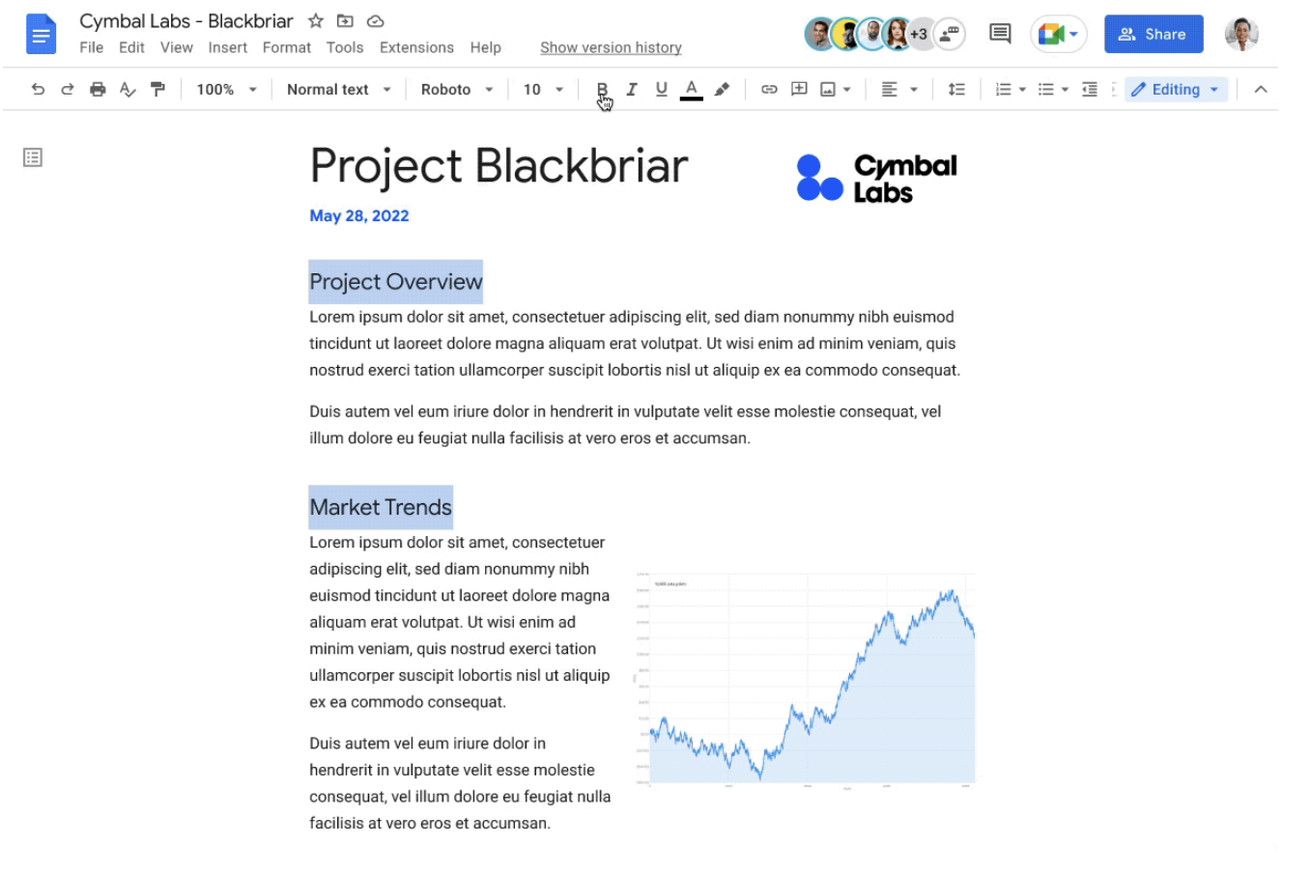
Much easier than the format painter. | Image: Google
Google Docs is getting an absolutely lovely feature that could cut down a lot of busywork when it comes to properly formatting your document: the ability to select multiple sections of text at once. If you’ve got two sentences separated by a heading, or want to apply the same effect to three different words throughout a paragraph, you can now do so by simply selecting the text all at once, and applying your changes.
Selecting multiple text sections is extremely simple: select the first bit of text however you would normally, then press either the Command (⌘) or Control key, depending on whether you’re using a Mac or Windows machine. Keep holding it down, and select the other bits of text you want. After you’ve got everything selected,...
Keep it Clean. Please avoid obscene, vulgar, lewd,
racist or sexually-oriented language. PLEASE TURN OFF YOUR CAPS LOCK. Don't Threaten. Threats of harming another
person will not be tolerated. Be Truthful. Don't knowingly lie about anyone
or anything. Be Nice. No racism, sexism or any sort of -ism
that is degrading to another person. Be Proactive. Use the 'Report' link on
each comment to let us know of abusive posts. Share with Us. We'd love to hear eyewitness
accounts, the history behind an article.


(0) comments
Welcome to the discussion.
Log In
Keep it Clean. Please avoid obscene, vulgar, lewd, racist or sexually-oriented language.
PLEASE TURN OFF YOUR CAPS LOCK.
Don't Threaten. Threats of harming another person will not be tolerated.
Be Truthful. Don't knowingly lie about anyone or anything.
Be Nice. No racism, sexism or any sort of -ism that is degrading to another person.
Be Proactive. Use the 'Report' link on each comment to let us know of abusive posts.
Share with Us. We'd love to hear eyewitness accounts, the history behind an article.